
Your clients cannot see the automation itself, and most of them do not want to. They are impressed by proof that their customers were looked after, that problems were fixed before they noticed, and that someone sent them a clear summary each month.
Thrum is built to produce exactly that proof. This post explains the three kinds of proof that keep clients paying, how Thrum delivers each one, and the small habits that make the difference. The ideas work with any tool. The screens are Thrum's.
Why "it works" is not enough
When an automation works well, nothing happens that the owner notices. The customer got a text in a minute, and the review request went out the day after the job. None of it crossed the owner's desk.
That is good work. It is also invisible work, and invisible work is easy to cut. When the owner goes through monthly costs, all the other lines are things they can picture. Yours is "the automation thing".
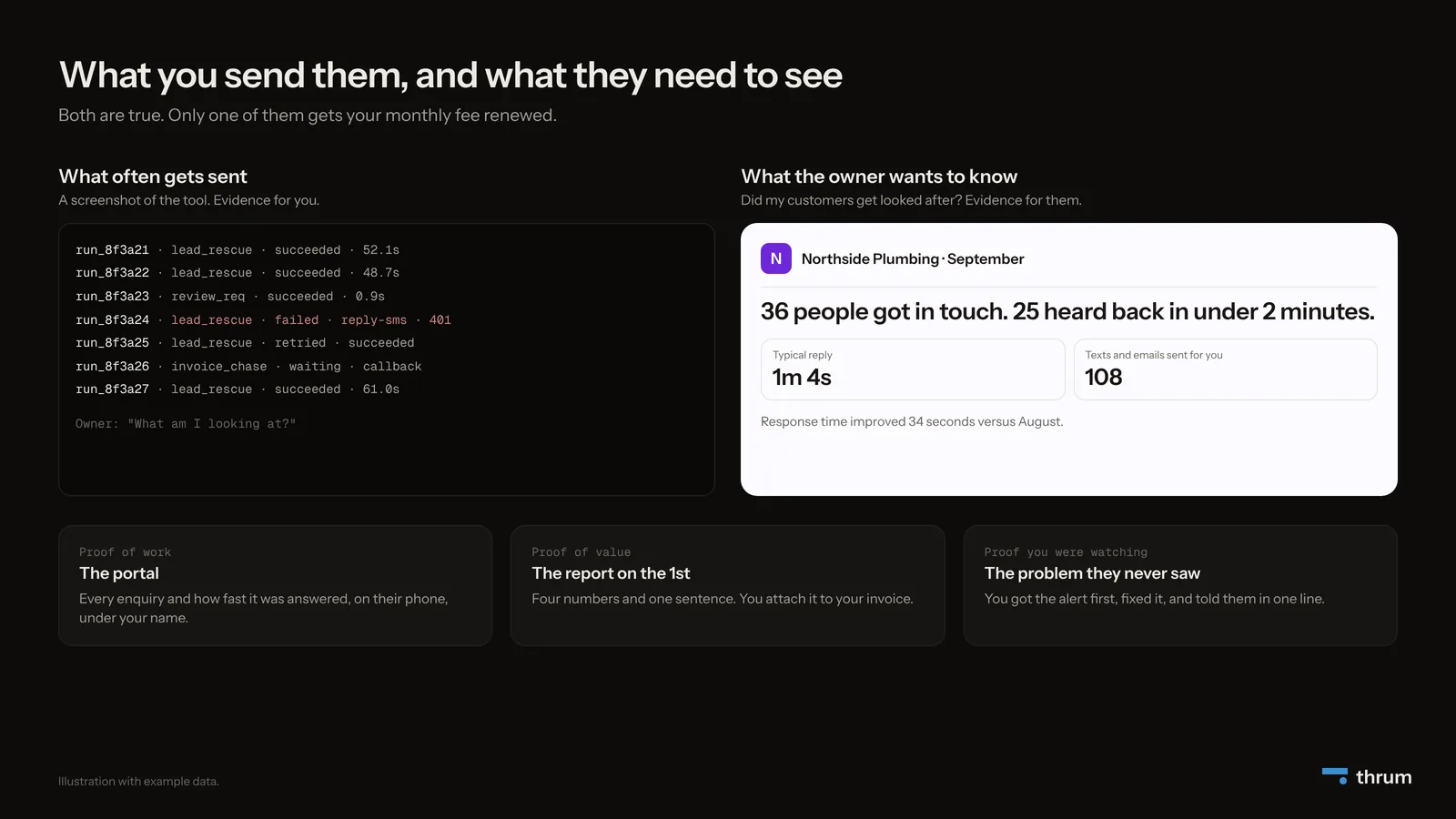
A common mistake is sending a screenshot of the tool, or a list of codes and green ticks. That proves something to you, and to a plumber it is a page of codes. He wants to know whether his customers got looked after.
So give clients three kinds of proof.
Proof 1: they can see it working
The strongest proof is the one they can check whenever they like.
In Thrum: each client gets a portal in their colours, with their logo. On Agency and Scale it can sit on your web address or theirs, with no sign of us.
They sign in with a link sent to their email. It works once and expires after 15 minutes, so there is no password to forget and no reason not to look.
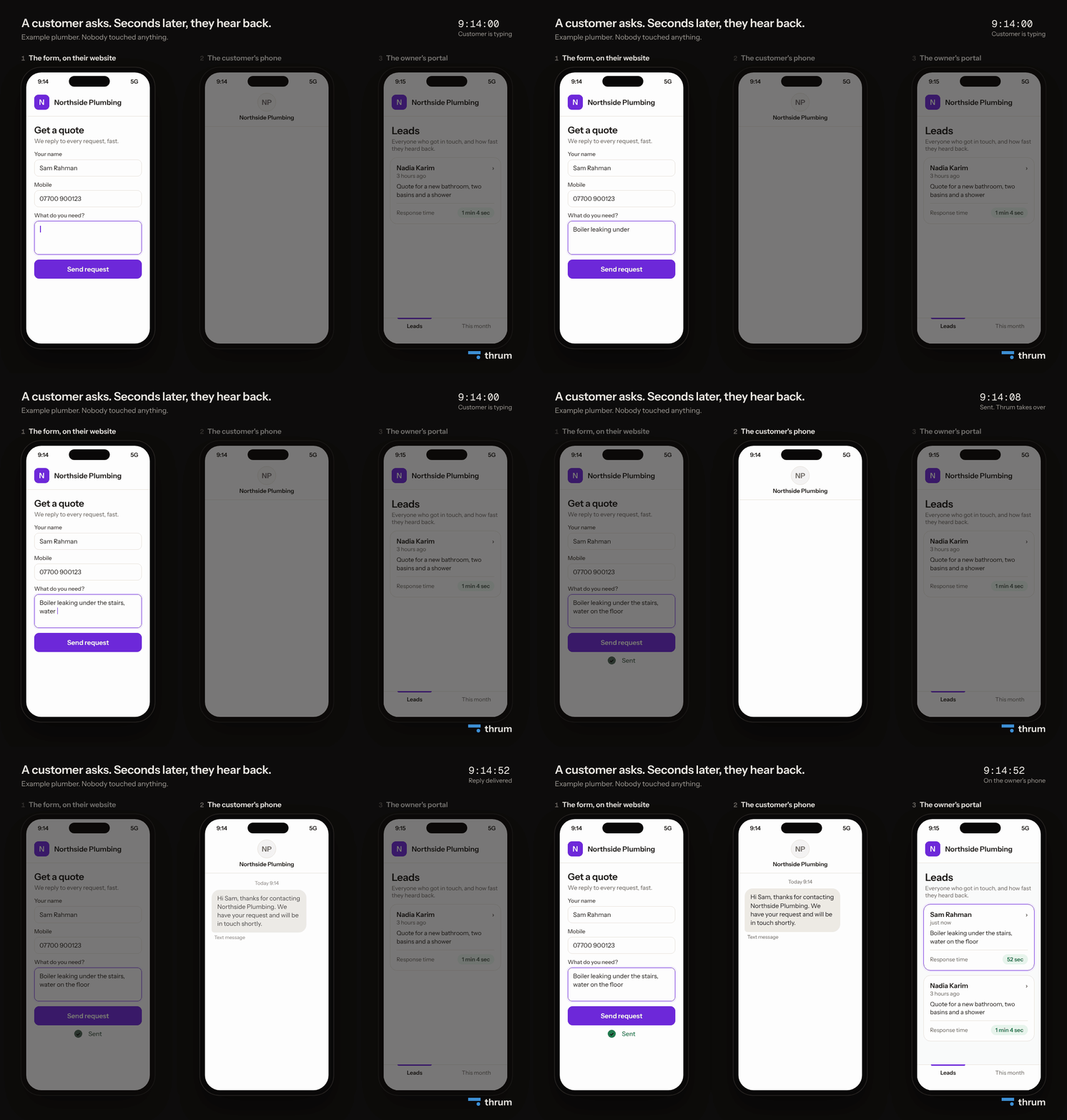
The owner is impressed by a name he recognises next to "52 sec", a customer who did not go to a competitor.
Proof 2: a ten-second summary
In Thrum: on the first of every month, a one-page report goes to the client, and the same month stays in their portal. It has four numbers, one chart and one plain sentence, in their colours.
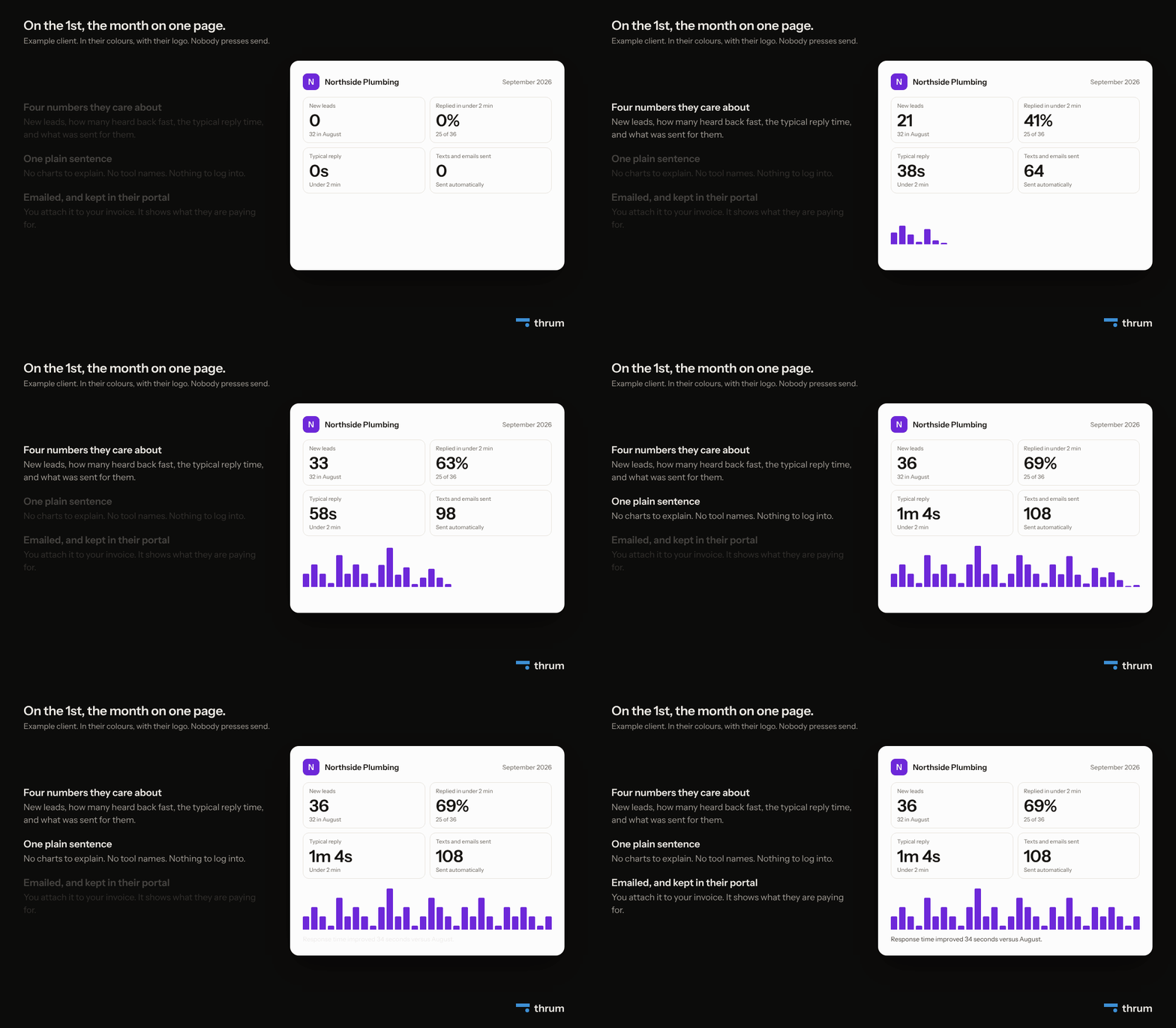
Three rules make a report like this work, whatever tool you use:
- Numbers about their customers. "36 people got in touch" beats "214 runs".
- A comparison. A line such as "Response time improved 34 seconds versus August" tells them it is getting better.
- No explaining needed. If a number needs a sentence of context, leave it out.
Attach it to your invoice. The owner opens the email and sees what the month bought before he sees the price.
Proof 3: the problem they never saw
Things break. A form gets changed, a password expires, a connected app stops sending updates. Clients understand that things break, and they find it hard to forgive hearing about it before you do.
In Thrum: each workflow's normal rhythm is learned from its runs. If one goes quiet for three times its usual gap, it moves to Stopped and you get an email. Your client is not told. You fix it, and Thrum tells you when it is Thrumming (running normally) again.
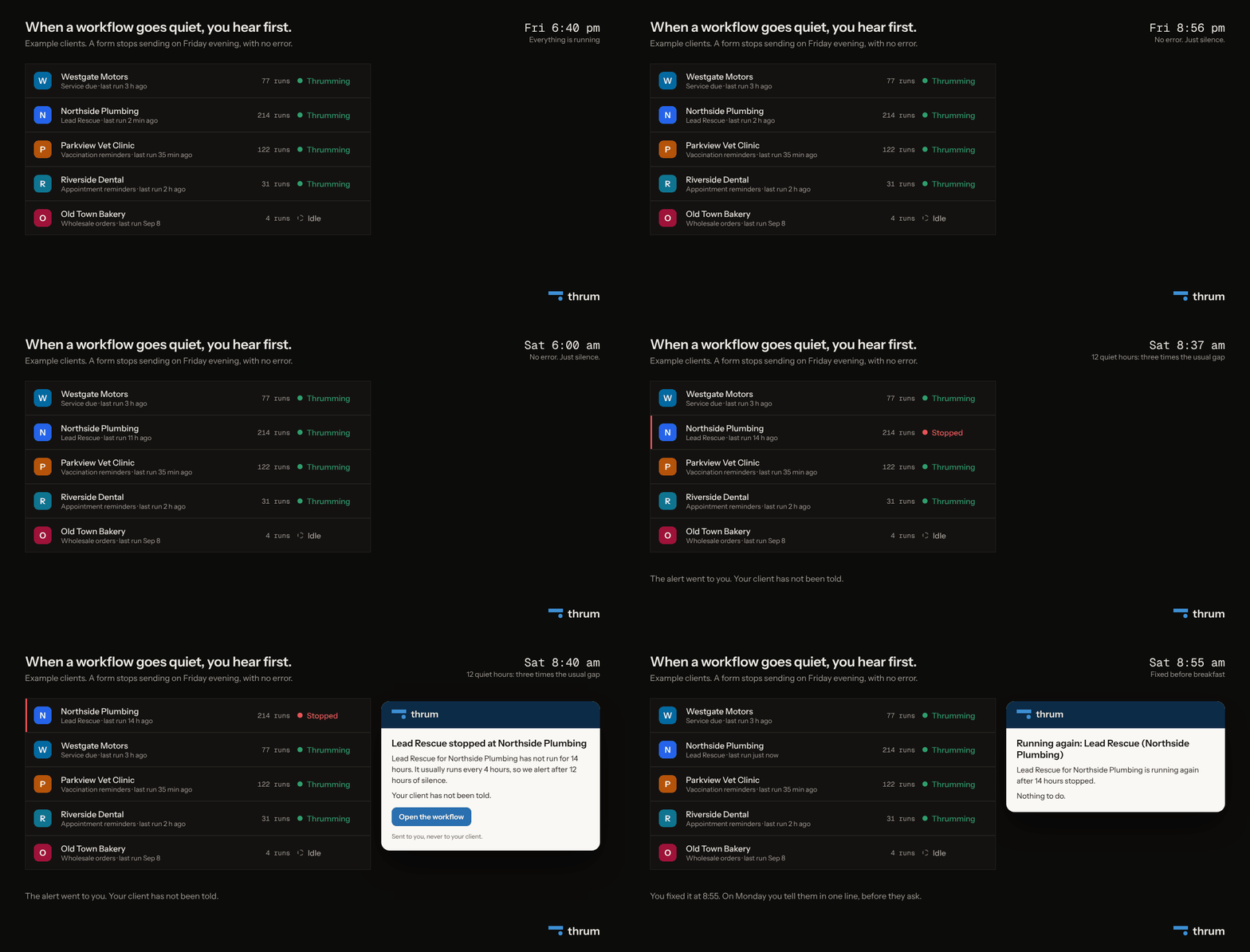
Then send one line, before they ask, like this one.
Your quote form stopped sending enquiries on Friday evening. I caught it on Saturday morning, fixed it, and it has run normally since.
That message impresses clients more than any feature. It tells them someone is watching, which is exactly what the monthly fee pays for.
Make the first week feel easy
First impressions are made during setup. If the first two weeks are full of "can you send me your login again", the client starts to doubt you.
Ask for everything you need in one message, on day one. A template with a checklist makes that easy, because you know exactly which accounts and details are missing for this client.
In Thrum: each client made from a template gets a list of what it still needs, and nothing goes live half-finished. When the list is done, you switch it on, and it shows Idle until the first enquiry arrives.
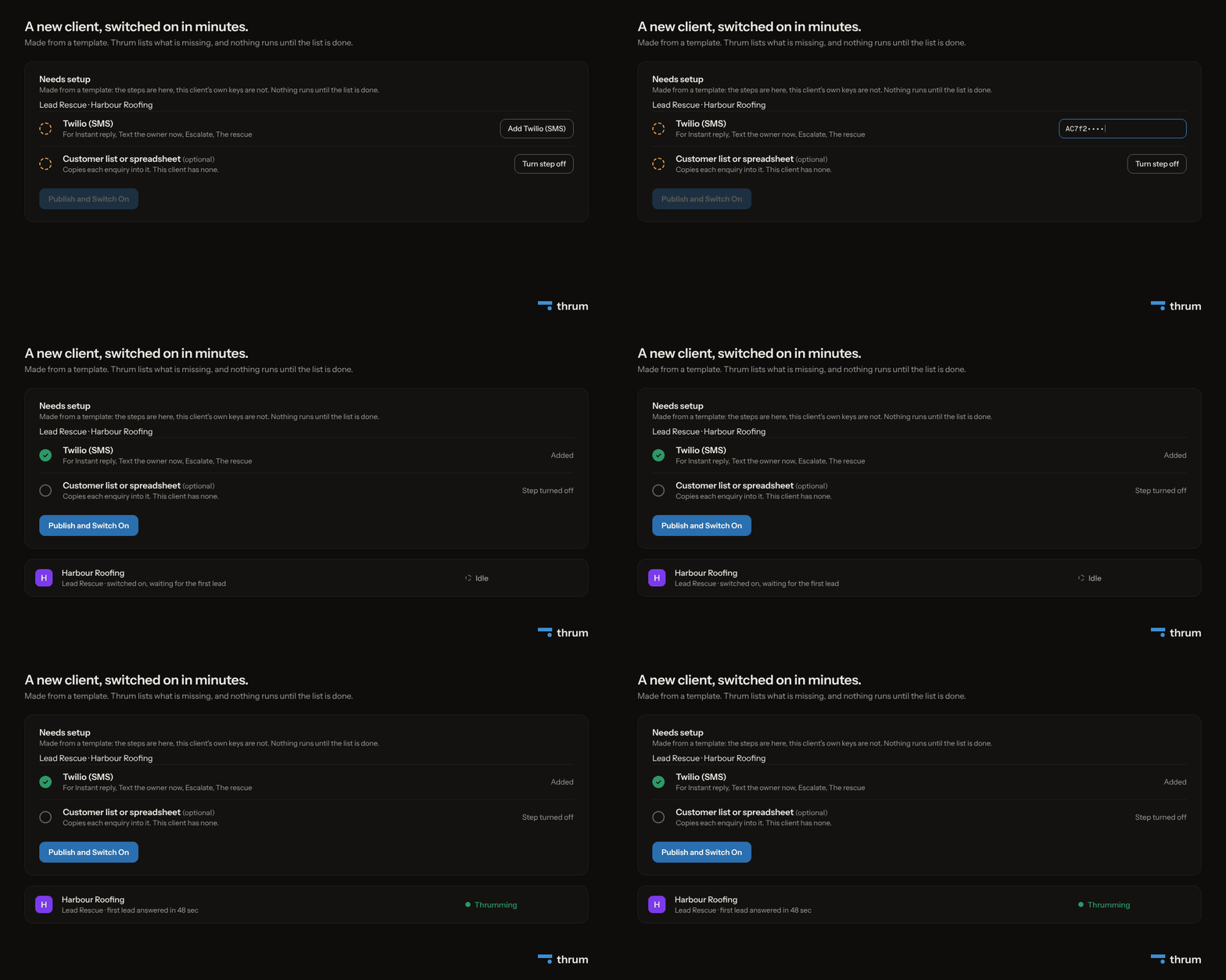
The first 30 days with a new client
Most of a client's opinion of you is formed in the first month. Here is a simple plan for it.
- Day 1. Send one message asking for everything you need. Once it is switched on, send the portal address and one line on what they will see there.
- Week 1. When the first enquiries arrive, send a short note: "Your first three enquiries all heard back in under two minutes. You can see them in your portal."
- Any time something breaks. Fix it first, then tell them in one line what happened and that it is sorted. Do not wait for them to ask.
- The 1st of the month. The report goes out on its own. Send your invoice the same day, so the two arrive together.
- Month 2. Ask what they would fix next. A client who can see the first automation working is the easiest person to sell the second one to.
In Thrum: the portal, the alerts and the report are built in for each client, so this plan comes down to four short messages from you. Everything else is shown to the client without you writing it up.
Small habits that impress
- Use their words. Say "enquiries" or "jobs" if that is what they say. Keep words like "workflows" and "runs" for yourself.
- Use names and numbers. "Daniel asked about a boiler service at 9:14am and got a text two minutes later" beats "the system is working well".
- Send the good news too. A short note when something recovers, or when they had a record month.
- Never send a screenshot of the tool. If you have to explain it, it is evidence for you.
- Say what happens next. Every message ends with either an action or "nothing needed from you".
What Thrum has not shipped yet
Forms are live today. The portal, the monthly report and the alerts are built and not yet used by any customer.
Summary
- Clients stay when they can see three things: the work being done, the value it created, and that you were watching.
- Proof of work is the portal. Proof of value is the report on the 1st. Proof you were watching is the problem you fixed before they noticed.
- Thrum produces all three for each client, without you writing them up by hand.
Solo is $20 a seat a month, and each seat carries one client. Every account starts with a 14-day trial for two clients, with no card.


